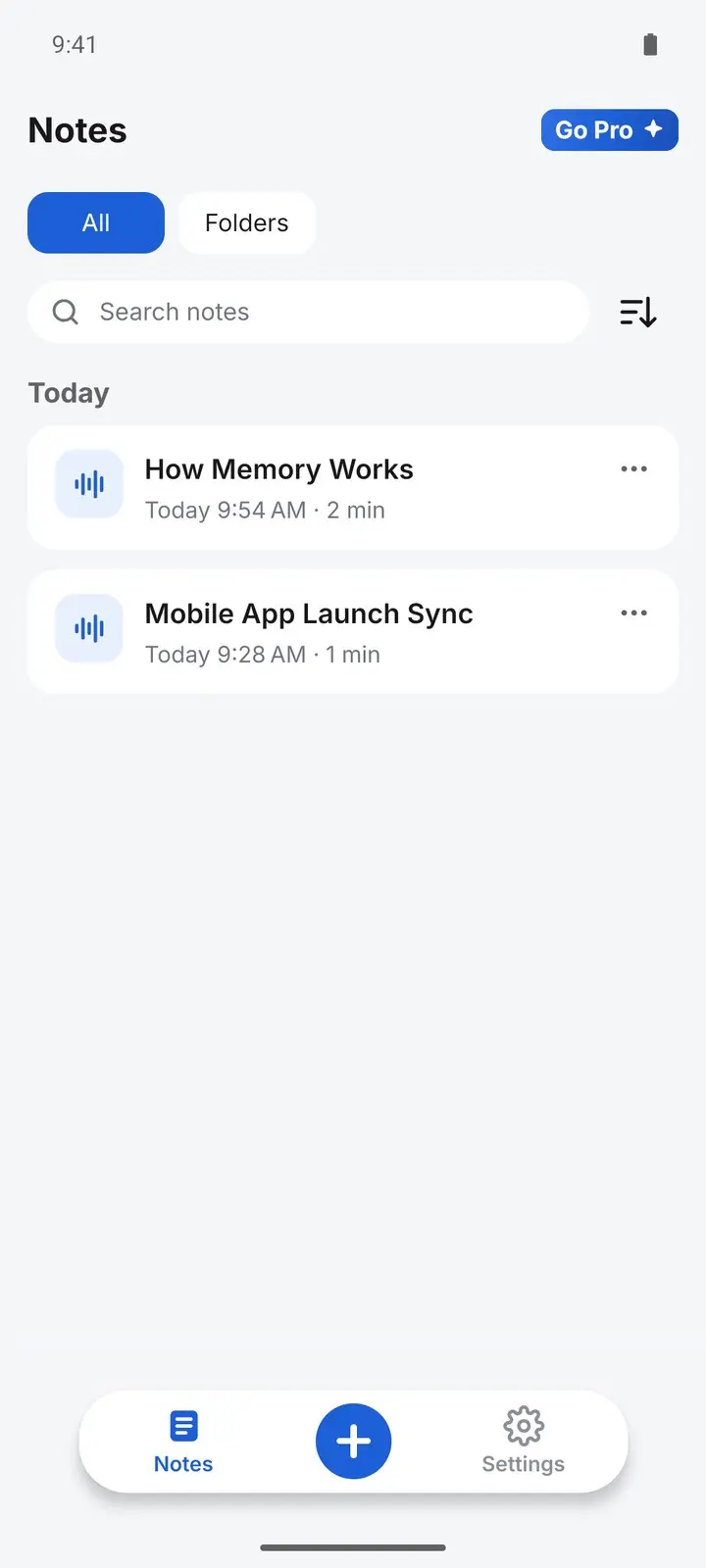
Turn lectures, meetings and recordings into smart notes
Record or upload audio, PDFs and videos. SummaryNote writes the transcript, a clear summary, flashcards and a quiz in one note.
First complete note freeNo card needed
Free: audio or video up to 3 hours per file. Pro: up to 5 hours. Max file 500 MB.
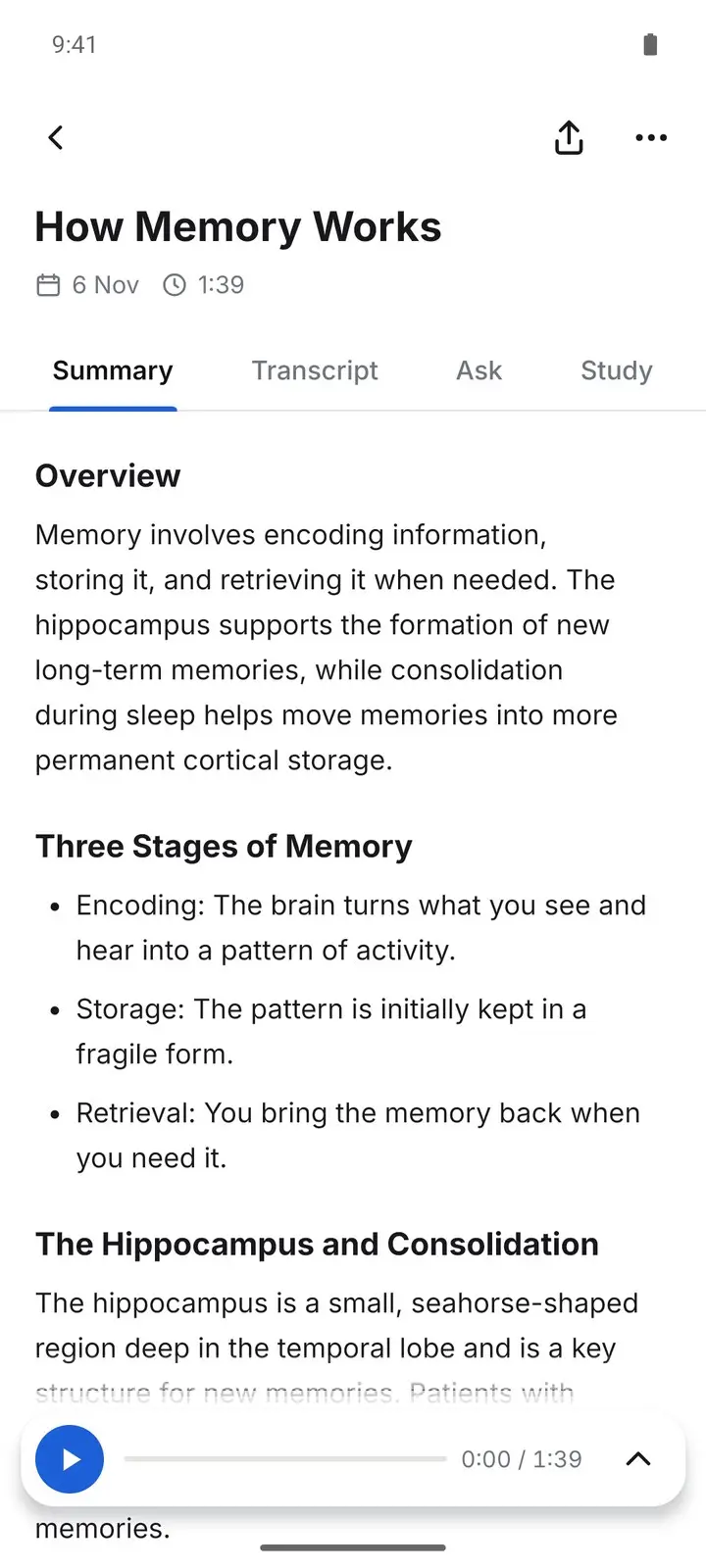
Overview
Memory involves encoding information, storing it, and retrieving it when needed. The hippocampus supports the formation of new long-term memories.
Three Stages of Memory
- Encoding: the brain turns what you see and hear into a pattern of activity.
- Storage: the pattern is initially kept in a fragile form.
- Retrieval: you bring the memory back when you need it.
How SummaryNote works
Record, upload or paste a link. SummaryNote writes the transcript and turns it into a note you can study and share.
Capture everything
Get what actually matters
Unlock the notes hidden in your media
Audio, video and documents all become the same kind of note.
MP3, M4A, WAV and more. A transcript with speakers and timestamps, summarized in 12 languages.
Audio to text
Upload a recorded lecture or class video and get a searchable transcript and notes.
Video to textPDFs up to 300 pages, DOCX, TXT and Markdown, turned into notes and study sets.
PDF summarizerTurn long meetings into clear next steps
From meeting to structured notes, with decisions and action items.

Paste a Google Meet or Microsoft Teams link. A notetaker joins the meeting and writes the notes.
Meeting notetaker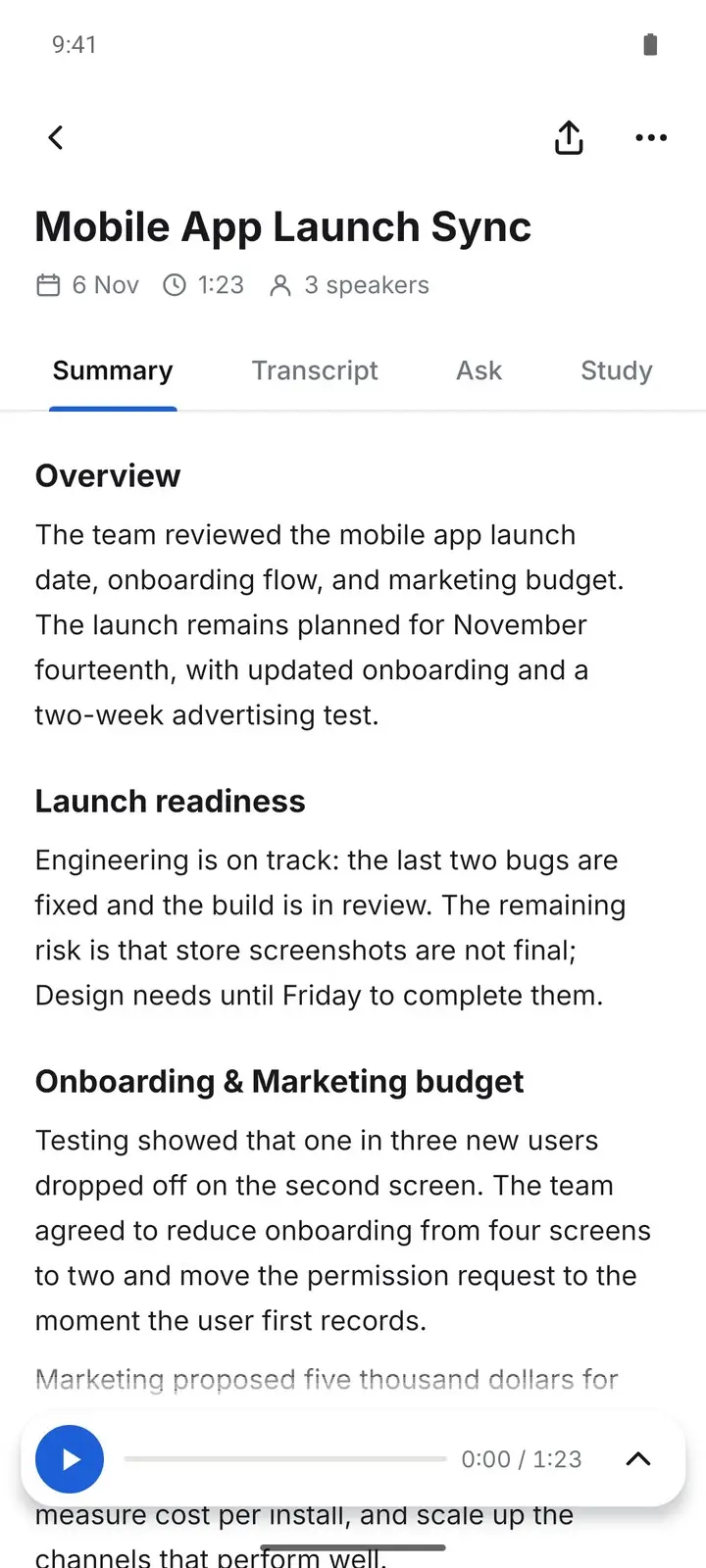
Upload or record a meeting and get decisions, owners and next steps you can share.
AI meeting notesGo beyond notes: study, ask and share
Every note comes with tools to learn from it.
Made from what was said in your recording, ready to review.
Check what you remember, with the right answer explained.
Each answer links to the moments it came from in the recording.
Built for people who learn and work from recordings
Students, teams and creators use one app for every recording.

Record the lecture, then review with flashcards and a quiz before the exam.
Notes for students
Decisions and next steps from every meeting, ready to share or export.
AI meeting notes
Transcripts with speakers and timestamps, exported as SRT, VTT or DOCX.
Audio to text
Summarize papers up to 300 pages and recorded interviews in one place.
PDF summarizer
Turn client meetings into notes with decisions you can send the same day.
Meeting notes
Record on your Android phone and read the note later on any browser.
Get the Android appFor uploads and YouTube videos.
PDF, DOCX, Markdown, TXT, SRT and VTT on every plan.
Your first complete note, with no card needed.
Smarter notes, better study
Free templates and guides.
Uploaded in the web app
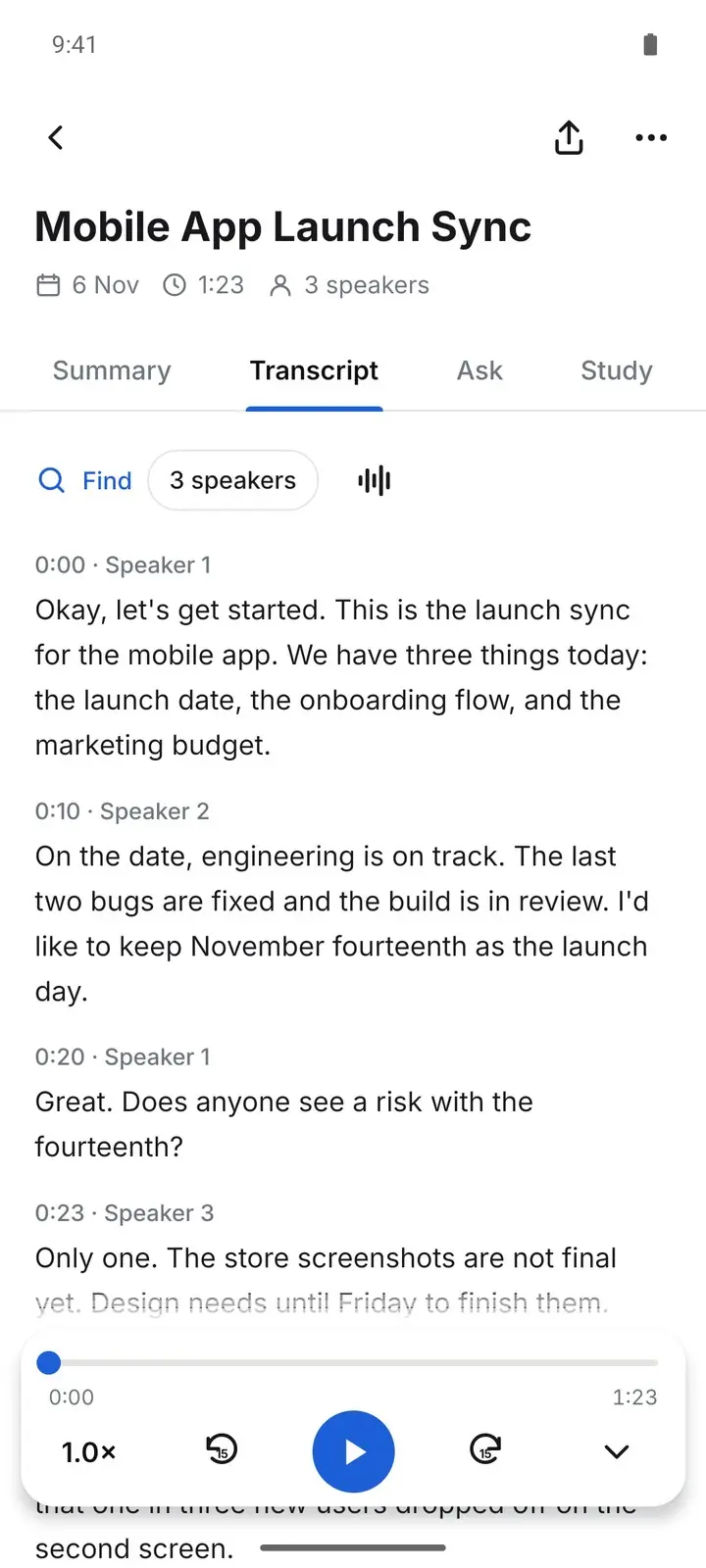
- 0:00Speaker 1
Okay, let’s get started. This is the launch sync for the mobile app. We have three things today: the launch date, the onboarding flow, and the marketing budget.
Questions, answered
Plans, platforms and languages.
Is SummaryNote free?
Your first complete note is free, with no card needed. It includes the transcript, summary, flashcards, quiz, Ask and every export. After that, Pro is available as a weekly or annual subscription through Google Play.
Is there an iPhone app?
Not yet. SummaryNote is an Android app on Google Play. On an iPhone, iPad or computer you can use the web app in your browser to record or upload audio, add documents and read your notes.
What can I do on the web?
Record or upload audio, add PDFs, documents and web articles, read and edit notes, study with flashcards and quizzes, ask questions and export. Video files and YouTube links are in the Android app; live text and the meeting notetaker are Pro features in the Android app.
Which languages are supported?
Summaries for uploads and YouTube videos can be written in 12 languages: English, Spanish, Portuguese, French, German, Indonesian, Japanese, Korean, Simplified and Traditional Chinese, Thai and Vietnamese.
Can I export my notes?
Yes, free on every plan: PDF, DOCX, Markdown and TXT for notes, and SRT or VTT for transcripts.
Does SummaryNote join my meetings?
On Android with Pro, paste a Google Meet or Microsoft Teams link and a notetaker joins the meeting and writes the notes. There is no calendar connection, and Zoom is not supported.
Make your first note free
Upload a recording on the web or record your next lecture on Android.