Meeting Agenda Template

Download an editable template and use the filled guide to get started.

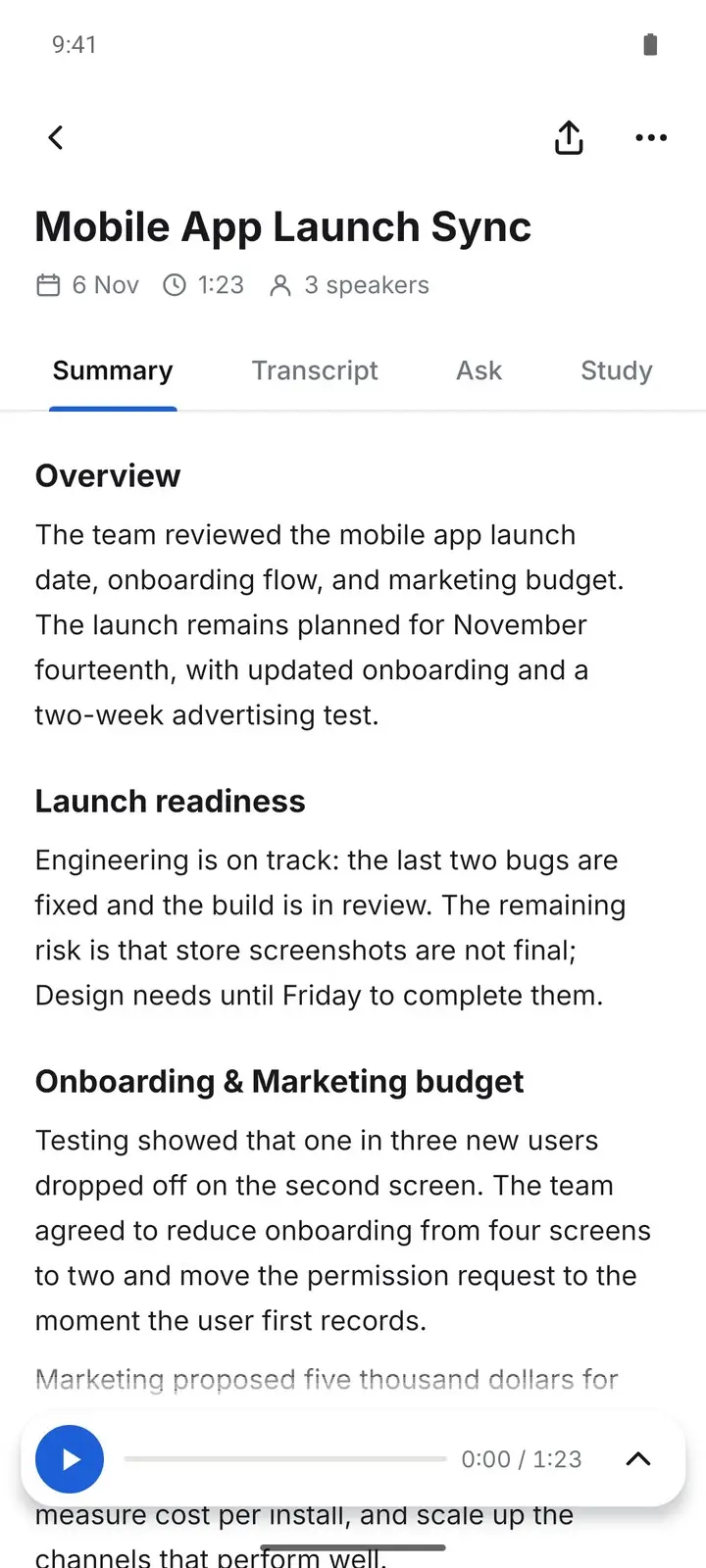
Summary in the Android app
Mobile app launch sync

Goal · Attendees · Agenda · Decisions

Filled template

Mobile app launch sync

Meeting details

Title: Mobile app launch sync. Date: Thursday. Time: morning. Duration: half an hour. Location: Google Meet. Organizer: Maya Patel. Note taker: Daniel Kim.

Goal and attendees

Agree on launch readiness. Attendees: Maya, Daniel, Luis, Hannah and Priya.

Pre-reads

Review the launch checklist and onboarding feedback.

Agenda items

Launch readiness — Maya, ten minutes; onboarding — Luis, ten minutes; marketing — Priya, ten minutes.

Decisions to make

Confirm the launch date and onboarding changes.

Action items

Assign owners and due dates after decisions.

Parking lot

Keep unrelated questions for later.

Next meeting

Launch readiness review next Thursday.

How to write a meeting agenda in 3 steps

Set the goal

Write one sentence that says what the meeting must decide or produce, then add the date, time, place or link, attendees and any pre-reads. If you cannot name an outcome, the meeting may be better handled in writing.

Plan the discussion

List the topics in order of importance, give each one an owner and a time box, and note whether it needs a decision, input or just an update. Put the item that needs the most people first.

Close with next steps

Leave the last few minutes to read back decisions, owners and due dates, park anything off-topic, and agree when the group will meet next. Send the agenda at least a day ahead so people can prepare.

What should a meeting agenda include?

Use these components as a starting point, then adapt the template to your purpose. The filled template above shows how the pieces fit together.

Meeting details

Include the date, time, location and organizer, and make the time zone clear when people join from different places. A complete header helps participants find the right session and understand whom to contact about changes.

In practice: Thursday morning · Google Meet · Organizer: Maya.

Goal and outcome

Describe the result the group needs to reach, rather than simply naming a broad subject. A useful outcome gives the facilitator a way to decide which discussions belong and whether the meeting has succeeded.

In practice: Agree on launch readiness and identify any remaining blockers.

Attendees and roles

List the people whose input or decision is needed, along with the facilitator and note taker. Clarify optional attendance so people can decide whether their contribution is needed for the whole discussion.

In practice: Maya facilitates; Daniel captures decisions; Luis advises on onboarding.

Preparation and pre-reads

Link the material participants should review and explain which parts matter. Give readers a specific question to consider so preparation leads into the conversation instead of becoming an open-ended reading assignment.

In practice: Read the launch checklist and flag unresolved onboarding issues.

Topics, owners and timing

Give each topic a lead, a clear question and a time box. The lead can prepare the necessary context, while the group can see how the discussion fits into the available time.

In practice: Onboarding · Luis · ten minutes · Which changes are needed before launch?

Decisions to make

State the choices and the information needed to make each one. Identify the decision maker and any constraints so participants know whether they are advising, agreeing or making the final choice.

In practice: Confirm the launch date after reviewing the remaining blockers.

Actions and parking lot

Leave room for the owner, due date and expected result of each action. Keep a separate parking lot for useful questions that do not serve the current goal, and decide who will revisit them.

In practice: Priya shares the launch draft by Friday; park the later pricing discussion.

Next meeting

Record the next check-in or the condition that would make one necessary. Name the purpose of that follow-up so the group does not schedule another meeting without a reason.

In practice: Review launch readiness next Thursday if blockers remain.
Meeting agendas for every type of meeting

Adapt the same structure to the outcome you need.

Weekly team meeting

Keep standing items first and time-box them. Ask owners to flag changes, blockers and requests that need the group.

Project planning

Start with the outcome and choices that affect scope. Reserve time to assign owners and identify dependencies.

Decision meeting

Put the decision and options near the top. Share evidence in advance and name who makes the final decision.

One-on-one

Leave room for both people to add topics. Begin with the most important issue before routine updates.

Tips for an agenda people follow

1. Lead with the outcome

Say what should be different when the meeting ends. Remove topics that can be handled elsewhere.

2. Invite contributions early

Ask participants to suggest topics before sharing the final agenda. Request a question or desired decision for each.

3. Put priorities first

Place consequential discussions before routine updates. If time runs short, the group has addressed the most important work.

4. Time-box each topic

Assign a lead and an allowance, with room for questions. Agree whether to continue or park an item when time runs out.

5. Close the loop

Read back decisions, owners and due dates. Share the minutes so absent participants understand what happens next.

Common mistakes

A short review before sending can make the discussion more focused and the follow-up easier.

A topic without a purpose

A label such as “launch” does not tell the group what to do. Rewrite it as a question or desired decision, and explain what information is needed to answer it. The facilitator can then bring the discussion back to the outcome when it wanders.

Too much for the time available

A long list encourages rushed decisions or leaves the most important item untouched. Put priorities first, estimate time for questions and remove updates that can be shared in writing. If a topic needs more work, schedule a separate discussion with the right people.

No owner for a topic

When everyone assumes someone else will prepare, the meeting can begin without the context it needs. Name a lead for each discussion and ask that person to provide relevant material beforehand. The lead need not make the decision, but should know the question to put to the group.

Leaving follow-up until later

Decisions can be forgotten when no one records who will act. Reserve time at the end to read back the result, owner and due date for each action. Capture unresolved questions separately and agree when they will be revisited.

How to share and follow up

Before the meeting

Send the agenda early enough for participants to read the material and suggest missing questions. Highlight the outcome, the decisions needed and any preparation assigned to a person. If someone cannot attend, invite their input in advance and identify who can speak for their work.

Keep the current version in a shared location and tell attendees when a significant change is made. For a recurring meeting, remove completed topics and carry forward only the items that still need the group’s attention.

After the meeting

Share the minutes with attendees and relevant colleagues who could not join. Include decisions, owners, due dates and links to supporting material; distinguish an agreed action from an idea that still needs approval.

Store the agenda with the meeting notes and recording so the original questions remain easy to find. Before the next check-in, review outstanding actions with their owners and add unresolved items to the next agenda only when discussion is needed.

Questions, answered

What should I write in a meeting agenda?

Write the goal, meeting details, attendees, preparation, timed topics, decisions and follow-up. Phrase each topic as a question or result so people know how to prepare.

What are the 4 Ps of an agenda?

Purpose, product, people and process are a useful planning frame: why you meet, what you need to produce, who contributes and how you will work together.

Who prepares the agenda?

The organizer usually drafts it with input from the facilitator and topic owners. Invite attendees to suggest questions before the final version is shared.

How far in advance should I share it?

Share it with enough time for the preparation requested. A short check-in may need less notice than a decision that requires reading and consultation.

What if a topic overruns?

Pause when its time box ends and ask whether to continue, shorten another item or arrange a follow-up. Record the choice so the group knows what will happen.

How do I handle off-topic discussion?

Acknowledge the question, place it in the parking lot and identify an owner to revisit it. Return to the stated goal without losing a potentially useful idea.

Should every meeting use the same format?

Use a consistent foundation, then adapt the detail to the purpose. A decision meeting may need options and a decision maker, while a one-on-one needs space for both participants’ priorities.

Is the template free and automatic?

The editable DOCX is free to download without an account. Fill it yourself; SummaryNote can help you review a meeting recording and its transcript.

Turn a recording into notes

Record or upload a recording and review the summary and transcript.

Your notes list in the Android app