- 0:00Speaker 1
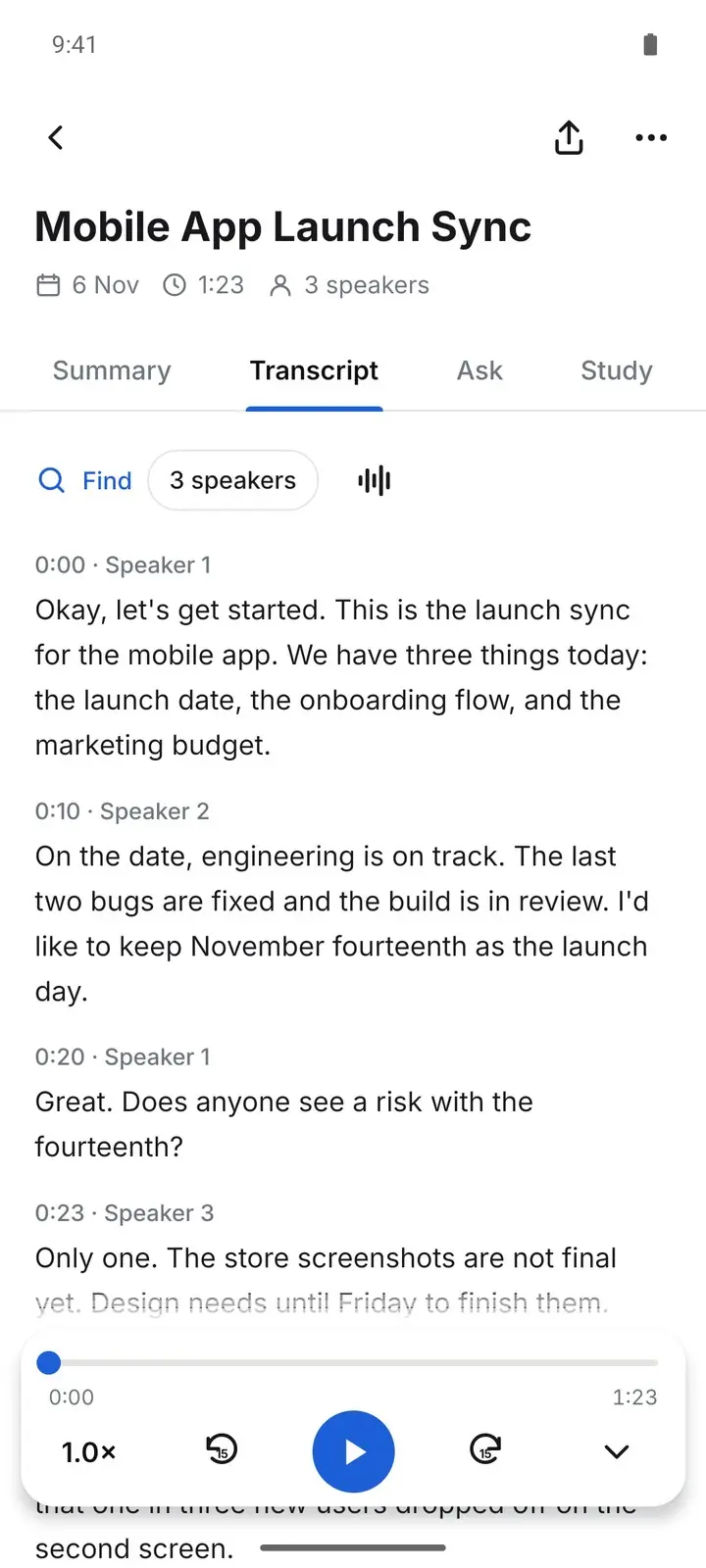
Okay, let’s get started. This is the launch sync for the mobile app. We have three things today: the launch date, the onboarding flow, and the marketing budget.
- 0:10Speaker 2
On the date, engineering is on track. The last two bugs are fixed and the build is in review. I’d like to keep November fourteenth as the launch day.
- 0:20Speaker 1
Great. Does anyone see a risk with the fourteenth?
- 0:23Speaker 3
Only one. The store screenshots are not final yet. Design needs until Friday to finish them.

AI notes for Google Meet
Paste a Google Meet link in the Android app with Pro. SummaryNote joins visibly, then gives you a transcript, summary and questions with sources.
First complete note freeNo card needed

Paste the meeting link. The notetaker joins, records and turns the meeting into a note.
Meeting linkJoins as “Anna’s SummaryNote” and posts a recording notice in the meeting chat.
Get notes in 3 steps
Have your Google Meet link ready and open SummaryNote on Android.
Copy the meet.google.com link from the meeting invitation or Google Meet.
Paste the meeting link. The notetaker joins, records and turns the meeting into a note.
Meeting linkJoins as “Anna’s SummaryNote” and posts a recording notice in the meeting chat.
Open the Android app and paste the link to send the notetaker. This feature requires Pro.

Join the meeting and let the notetaker join too. After the meeting, open your note to review it.
From the discussion to a useful note
Example product recreations. Review the transcript alongside the summary to check the details.
Overview
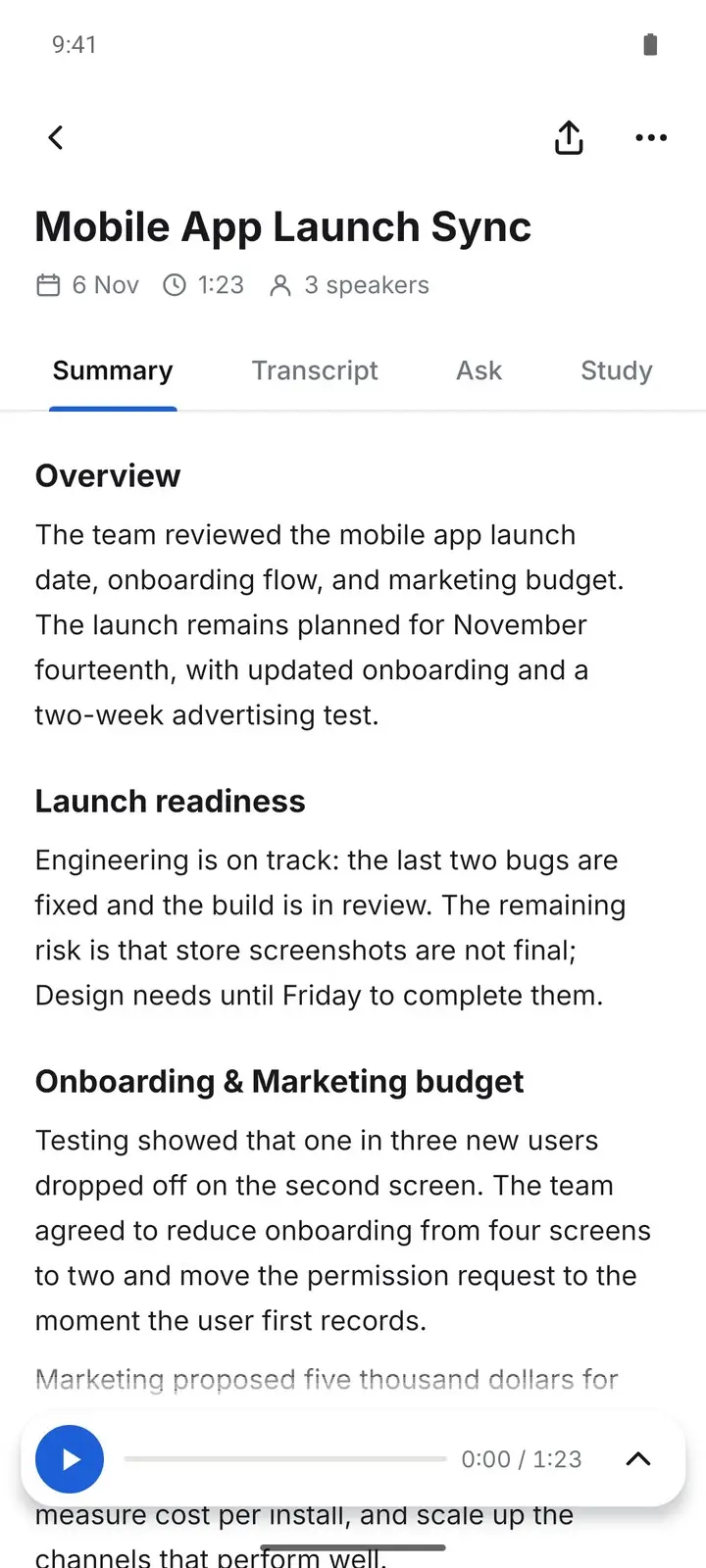
The team reviewed the mobile app launch date, onboarding flow, and marketing budget. The launch remains planned for November fourteenth.
Launch readiness
Engineering is on track: the last two bugs are fixed and the build is in review. The remaining risk is that store screenshots are not final; Design needs until Friday.
Onboarding
One in three new users dropped off on the second screen, so onboarding goes from four screens to two.
Review the meeting at your own pace
Start with the summary, then return to the transcript for context.
- Review decisions and action items alongside the discussion.
- Ask questions inside the note and check answers against their sources.
- Make flashcards or export your note.


From the blog
SummaryNote vs Otter (2026): Which AI Note Taker Fits You?
Compare meeting and study tools, platforms, exports and more.
Read article →SummaryNote vs Notta (2026): Which AI Note Taker Fits You?
Compare transcription, meetings and study tools across both products.
Read article →How to take Cornell notes: a step-by-step guide with free template
Learn the Cornell method, see a filled example and download a template.
Read article →Questions, answered
Do I need to be the Google Meet host?
You can paste the meeting link in SummaryNote. Whether the notetaker can enter depends on the meeting’s admission settings.
Will participants be informed?
Yes. The notetaker is visible, named after you, and posts a recording message in the meeting chat. Anyone can remove it.
Does it join automatically from my calendar?
No. Paste the Google Meet link in the Android app each time. There is no calendar connection or automatic joining.
Where can I find my note?
After the meeting, open the note in SummaryNote to review the transcript, summary and sources.
Does it work with other platforms?
The notetaker also supports Microsoft Teams on Android with Pro. It does not join Zoom. You can upload a recording instead.
Can I use it without Pro?
The meeting notetaker requires Pro on Android. Without Pro, record on your phone or upload a recording on the web or Android.
Bring your Google Meet meeting into your notes
Paste a meeting link in the Android app with Pro, or upload a recording to get started.