SummaryNote vs Notta (2026): Which AI Note Taker Fits You?
· By the SummaryNote team · 12 min read · This is a SummaryNote article.
Key facts
- SummaryNote works on Android and the web.
- Video and YouTube links are available in the Android app.
- SummaryNote makes flashcards and quizzes from notes.
- With Pro, paste a Google Meet or Microsoft Teams link in the Android app to send a notetaker.
- Notta supports meeting transcription and teams, according to Notta’s pricing page and Notta’s home page.
SummaryNote vs Notta at a glance
| Feature | SummaryNote | Notta |
|---|---|---|
| Platforms | Android app; web app in any browser. No iPhone app. | Web, iOS and Android apps, Mac and Windows desktop, Chrome extension |
| Free plan | First complete note free, no card | 120 transcription minutes a month, up to 3 minutes per conversation, 50 file uploads and 10 AI summaries a month |
| Paid plans | Pro, weekly or annual, through Google Play | Pro, Business and Enterprise (from 51 seats) |
| Meeting notetaker | Paste a Google Meet or Microsoft Teams link (Pro, Android only). No Zoom, no calendar connection. | Records and transcribes Zoom, Microsoft Teams, Google Meet and Webex meetings; bot-free desktop recording |
| Upload audio and video | Audio on web and Android; video on Android | Free: 50 file uploads a month; Pro: 100 |
| YouTube links | Yes, in the Android app (videos with captions) | Transcribes YouTube links |
| PDFs and documents | PDF up to 300 pages and 20 MB, DOCX, TXT, Markdown | Not stated as a note input on the supplied vendor pages |
| Flashcards and quizzes | Yes, made from each note | Not mentioned on Notta's home or pricing page |
| Ask questions | Yes, answers show their sources | Notta Brain answers questions across meetings |
| Languages | 12 summary languages for uploads and YouTube | 58 transcription languages |
| Exports | PDF, DOCX, Markdown, TXT, SRT, VTT on every plan | Transcript export is listed under Pro, not Free |
| Team plans | No; notes are personal, shareable by link | Business and Enterprise team plans |
Notta details from Notta’s pricing and home pages, checked November 24, 2026.
Our approach
We compared the published product information available on November 24, 2026. SummaryNote details come from its product facts; Notta details come from its Notta’s pricing page and Notta’s home page. This article is written by the SummaryNote team, so we have a stake in the choice. The comparison focuses on the steps a person needs to take: getting material in, finding an answer, reviewing the result and sharing it. It is not a controlled accuracy benchmark, and a feature appearing on a pricing page does not tell you whether it will work well for your recording.
Plans and interfaces can change. Check the linked vendor pages before buying, especially if a limit, language, platform or export is essential to your work. Try the same material in both products and review the source alongside each result. A clear transcript and a useful note are related, but they are separate things to assess.
What is SummaryNote?
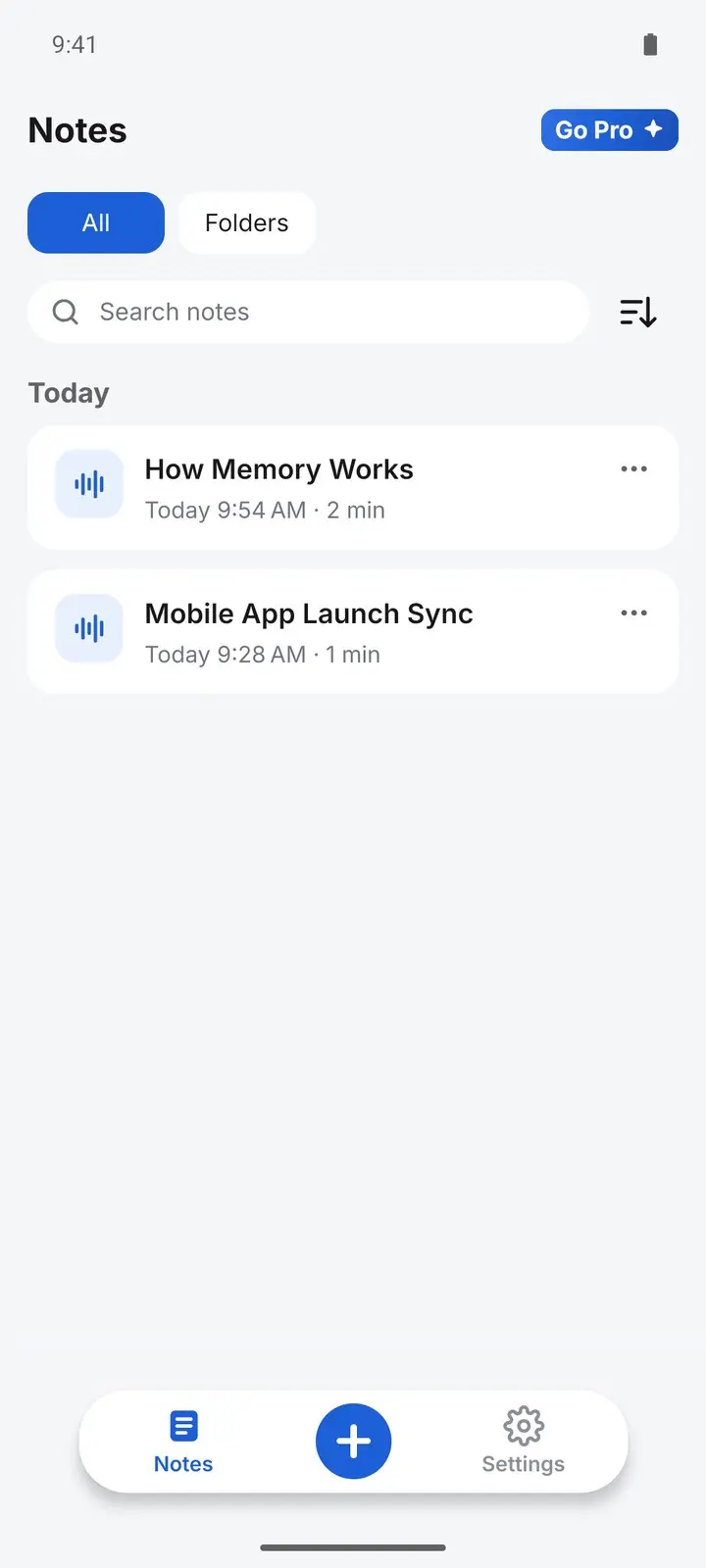
SummaryNote turns recordings, documents and links into notes, flashcards and quizzes. Its Google Play listing describes the Android app.
What is Notta?
According to Notta’s home page, Notta provides transcription and meeting notes.
SummaryNote vs Notta: main differences
Capture
SummaryNote accepts audio on the web and Android, and video and captioned YouTube links on Android. According to Notta’s pricing page and Notta’s home page, Notta supports transcription from recordings.
Transcription and languages
SummaryNote supports 12 summary languages for uploads and YouTube. See Notta’s pricing page and Notta’s home page for Notta’s language and plan details.
Notes and study tools
SummaryNote makes flashcards and quizzes from each note. These study tools are not mentioned on Notta’s pricing page and Notta’s home page.
Search and questions
SummaryNote answers questions with sources from your note. According to Notta’s home page, Notta also offers questions across meetings.
Meetings
With Pro, paste a Google Meet or Microsoft Teams link in the Android app to send a SummaryNote notetaker. According to Notta’s pricing page and Notta’s home page, Notta supports meeting transcription and team workflows.
Exports
SummaryNote offers exports on every plan. See Notta’s pricing page for Notta’s export options.
Platforms
SummaryNote is available on Android and the web. According to Notta’s home page, Notta also offers an iPhone app and desktop options.
How the differences play out
A student reviewing a lecture
Imagine a student with a 90-minute lecture recording and a set of course documents. The task is not just to turn speech into text: the student needs to locate definitions, check them against the lecture and return to the material before an assessment. SummaryNote accepts audio on the web and Android and can also take supported documents. A note can become a starting point for flashcards and a quiz. The student can ask a question and use the displayed sources to return to the relevant material.
Notta transcribes recordings, and its published Pro allowance includes recordings up to five hours. Its Free plan lists a limit of three minutes per conversation, so the student should check that limit before expecting the entire lecture to be covered on Free. Notta's published home and pricing pages do not state flashcards or quizzes; a student who needs those should check the current product before making them a deciding factor. In either product, listen again where a technical term or a lecturer's qualification matters. A confident-looking summary is not a substitute for checking the source.
A consultant after a client meeting
Consider a consultant who wants to leave a meeting with decisions, open questions and next steps. On Android, a SummaryNote Pro user can paste a Google Meet or Microsoft Teams link to send a notetaker. Alternatively, a supported audio recording can be uploaded on the web or Android. Review the resulting note against the recording, then use an available export or a shareable link when a colleague needs the result. Make sure participants have agreed to recording before capturing a discussion.
Notta lists meeting transcription for Google Meet, Microsoft Teams, Zoom and Webex, and its desktop app offers bot-free recording. Its Business and Enterprise plans are relevant when the purchase is for a team; SummaryNote notes are personal and can be shared by link. Those distinctions matter before the meeting begins: choose the capture method and the place where the finished notes need to live. Neither a transcript nor a generated action list should be treated as an approved record until a person has checked names, commitments and ownership.
A creator studying a YouTube episode
A creator may want to revisit an episode, collect ideas and find the passages behind a summary. SummaryNote accepts links to captioned YouTube videos in its Android app. After creating a note, the creator can ask questions and inspect the sources shown with answers. That makes it useful to separate what the episode actually says from the creator's own interpretation. Notta also lists YouTube link transcription. Compare the resulting transcript and the sections you use most, rather than judging only the opening summary.
For either workflow, keep the original episode close at hand. Captions can omit context or misrepresent a name, and a short summary can compress a qualification that changes the meaning. Check the original before quoting or publishing a claim. If the material contains several topics, write down the questions you want answered first; it is easier to assess whether a note helps when you know what you need to find.
Questions, sources and review
SummaryNote answers questions using a note and shows sources with its answers. Notta describes Brain as a way to ask questions across meetings. These address different review habits: a student may want to inspect the basis of an answer in a particular lecture, while a consultant may want to look across a collection of meeting material. Test with a question whose answer you already know, followed by one that requires context. Check whether the answer points you to enough evidence to verify it and whether it preserves uncertainty in the original.
Keep your own corrections where you can find them. If a transcript confuses two speakers or misses a specialist term, write the correction next to the relevant passage and check any summary that depends on it. For important decisions, share an edited record that identifies what was agreed and what still needs confirmation, rather than assuming every generated item is final.
Devices and handoff
SummaryNote offers an Android app and a web app; there is no iPhone app. Audio is supported on both Android and the web, while video and captioned YouTube links are Android features. Notta lists web, iOS and Android apps, desktop apps for Mac and Windows, and a Chrome extension. A person who switches between an iPhone and a desktop app may value that breadth; a person who uses Android and needs study materials may prioritize the outputs instead.
Plan the whole handoff, not just the capture. Check where you will open the note, whether you need a file or a link, and whether the recipient can use it. SummaryNote lists its exports on every plan; Notta lists transcript export from Pro. If a file is necessary for an existing workflow, check the current format options and inspect an exported file before committing to a plan.
Plans and the fine print
SummaryNote's first complete note is free, with exports available on every plan. Pro is offered as a weekly or annual subscription through Google Play; the price shown in Google Play depends on your country. Think about the source you use most often and the paid features you need. For example, the meeting notetaker is a Pro feature on Android, so a free note alone does not establish whether that particular workflow suits you.
According to Notta’s pricing page, Notta Free includes 120 transcription minutes per month, up to three minutes per conversation, 50 uploads and 10 AI summaries per month. Those are different kinds of limits: having uploads remaining does not remove the per-conversation limit, and having transcription minutes remaining does not necessarily mean an AI summary is available. Check each allowance against a typical week of work.
Notta lists Pro at $8.17 per month billed annually ($97.99 per year), with 1,800 minutes, up to five hours per recording, 100 uploads and 100 summaries. Business is $16.67 per month billed annually ($199.99 per year); Enterprise has custom pricing for 51 or more seats. The supplied pricing page does not show monthly-billing prices. Annual rates describe the monthly equivalent, so compare the amount billed and the features you actually need before purchasing. Confirm current terms with the vendor.
A 20-minute trial that shows the difference
Use a short, representative recording that you have permission to process. If the Free plan's per-conversation limit affects the material you choose, account for it when comparing the results. The aim is to test the work you do after capture, not to crown a winner from a single transcript.
- Choose a passage. Pick material with a decision, a name and a point of uncertainty. Write down what a useful result should preserve.
- Capture or upload it. Follow each product's available path on the device you normally use. Note any plan limit or extra step that affects your workflow.
- Inspect the transcript. Listen to the original while checking names, terms and the context around the decision. Record mistakes that would change your interpretation.
- Review the note. Find the decision and an unresolved question. Check whether the summary distinguishes a proposal from something actually agreed.
- Ask a question. Try one question you can answer from the source. Examine the answer and any supporting material, then correct anything that overstates the evidence.
- Finish the handoff. Try the export or sharing route you need. Open the result and decide whether it is ready for its intended reader after your edits.
Repeat the exercise with your actual source type when practical: a lecture, a meeting or a captioned video. A workflow that is comfortable for one source may not be the best fit for another. Count the time spent correcting and finding information, as well as the time spent creating the initial note.
SummaryNote vs Notta pricing
As of November 24, 2026, according to Notta’s pricing page, Free is $0; Pro is $8.17 per month billed annually; Business is $16.67 per month billed annually; Enterprise has custom pricing. SummaryNote Pro is a weekly or annual subscription through Google Play; the price shown in Google Play depends on your country.
Who should pick which?
| Choose SummaryNote | Choose Notta |
|---|---|
| Study from lectures and documents with flashcards and quizzes | Work with meeting transcription and teams |
| Use Android or the web and export on every plan | Need a native iPhone app or desktop app |
Which should you choose?
Choose the tools that fit your sources, platform and workflow. To move from Notta, export a transcript where available, then upload supported audio or documents to SummaryNote. Uploading audio produces a fresh transcript, summary, flashcards and quiz.