Best Otter alternatives (2026)
· By the SummaryNote team · 15 min read · This is a SummaryNote article.
Who is this for?
These alternatives suit people comparing personal study notes with meeting transcription workflows. Start with the devices and sources you actually use.
How we compared
We compared vendor descriptions and pricing pages checked November 24, 2026: platform, free access, meeting bot, uploads and a distinctive workflow. Plans and availability can change.
Alternatives at a glance
| Tool | Platform | Free plan | Bot | Uploads | Standout |
|---|---|---|---|---|---|
| SummaryNote | Web, Android | First complete note | Pro on Android | Audio; video on Android | Study tools |
| Notta | Web, mobile, desktop, extension | 120 minutes/month | Yes | Yes | YouTube links |
| Fireflies | Web, mobile, desktop, extension | Free plan | Yes | Audio and video | Team workspaces |
| Read AI | Web, mobile, desktop, extension | 5 transcripts/month | Yes | Pro | Search across sources |
| Tactiq | Browser extensions | 10 transcripts/month | No | Audio and video | Bot-free transcription |
According to the pricing pages for Notta, Fireflies, Read AI and Tactiq.
SummaryNote
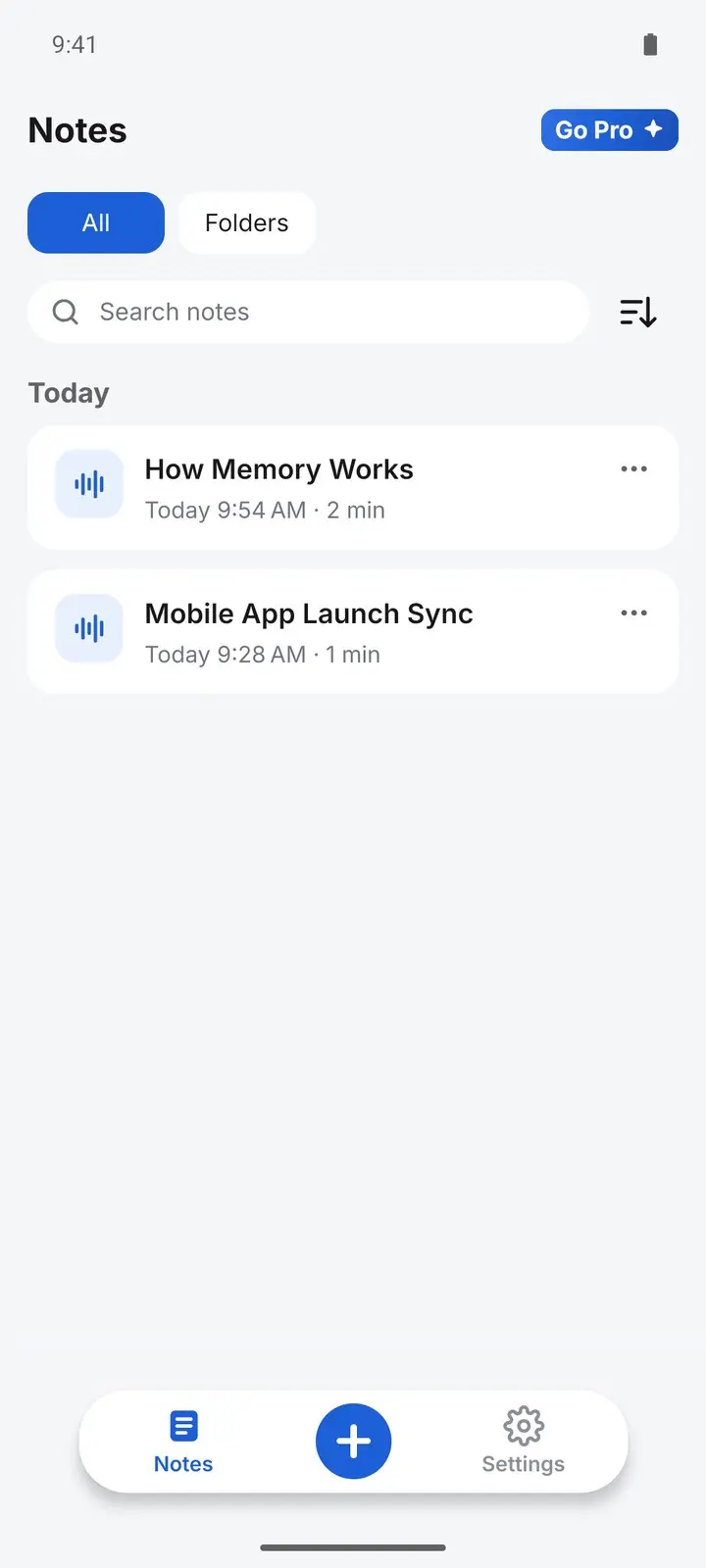
SummaryNote turns recordings and documents into personal notes, flashcards and quizzes. Use audio on the web or Android; video and captioned YouTube links work on Android.
There is no iPhone app, Zoom integration or shared workspace. Pro includes a Google Meet and Microsoft Teams notetaker on Android. Compare SummaryNote and Otter.
Notta
According to Notta’s pricing page, its free plan includes transcription and uploads. Notta supports multiple devices and meeting platforms.
It also transcribes YouTube links, according to Notta’s home page. Read the full comparison.
Fireflies
According to Fireflies’ pricing page, it offers meeting transcription and team workspaces. Its meeting bot can join supported meetings.
Audio and video uploads offer another route into the workflow. Read the full comparison.
Read AI
According to Read AI’s pricing page, the free plan includes five meeting transcripts per month; uploads start with Pro.
Ask Read searches across meetings, email and messages according to Read AI’s home page. Read the full comparison.
Tactiq
According to Tactiq’s home page, its browser extension transcribes supported meetings without a bot.
It supports file uploads and questions about transcripts. Read the full comparison.
How to choose
Test the source you use most. Check the free allowance, upload access and device support, then review a transcript for accuracy. Consider whether you need personal study tools or a shared meeting workflow.
Start with the work you need to finish
An Otter alternative can solve several different problems. You might want a record of a discussion, a searchable archive for a team, or a way to turn a lecture into material you can study. Those jobs overlap, but they do not lead to the same choice. A transcript is useful evidence of what was said; a concise note makes it easier to find the point; a quiz helps you check whether you understood it. Decide which result matters before comparing a long feature list.
Also consider what you already have. A recorded lecture, a document and a scheduled online meeting enter a product through different paths. An upload allowance matters when you have existing files. A meeting bot matters when you want a service to join a supported meeting. An extension may fit a browser-based workflow. Check the device and source together: a feature listed for a product may be available on a particular platform or plan.
This article is written by the SummaryNote team, so we have a stake in the comparison. We use the vendor pages linked below and the product facts available on November 24, 2026. We describe the published features and limits in that material; we do not rank transcript accuracy without a shared recording test. Pricing and availability can change, so check the vendor before purchasing.
What each alternative is best suited to
SummaryNote: from source material to study
Best for: Someone who wants personal notes and study materials from recordings or documents, especially a student reviewing a lecture or a learner revisiting a topic over time.
Watch out for: Video, captioned YouTube links and the meeting notetaker are Android workflows. The Google Meet and Microsoft Teams notetaker requires Pro. There is no iPhone app or shared workspace.
Imagine a student leaving a long lecture with a recording and a reading document. The useful outcome is not merely a transcript: it is a set of ideas the student can revisit, questions to answer and a way to spot gaps in understanding. SummaryNote can turn recordings and documents into notes, flashcards and quizzes. The student can compare the generated material with the source, correct a technical term and use the questions for an active review rather than rereading a transcript from beginning to end.
For an online meeting, the decision is different. A consultant who uses Google Meet or Microsoft Teams can consider the Pro notetaker on Android. Before inviting any notetaker, tell participants how the meeting will be recorded and check the rules that apply. Afterward, review decisions and owners against the source before sending a recap. A personal note is useful for preparation and follow-up, but it is not a substitute for a shared workspace when a team needs a common archive.
A creator reviewing a captioned YouTube episode can use the Android link workflow to make a note for research. Captions and source quality matter: check names, quotations and context against the episode before publishing anything based on the note. If the source is an existing audio file, web or Android offers an upload path. See the SummaryNote and Otter comparison for a closer look at the trade-offs.
Notta: transcription across devices and languages
Best for: A person who needs transcription across several devices, works with YouTube links or wants to evaluate a wide choice of transcription languages.
Watch out for: The free plan's per-conversation limit is much shorter than a typical lecture or client meeting. Test the relevant language and recording length before treating the free allowance as a complete workflow.
Notta lists web, mobile and desktop apps and a browser extension. Its meeting bot supports Google Meet and Microsoft Teams as well as other services listed on its site. For an existing recording, the published free plan includes uploads, but its pricing page specifies up to three minutes per conversation. That distinction matters: a monthly allowance does not mean every individual recording can use the whole allowance.
Consider a student with a 90-minute lecture. The student should check the per-recording limit on the intended plan before uploading, then review the transcript for course vocabulary, speaker changes and places where the audio is unclear. A consultant should test the meeting workflow separately because an uploaded file and a meeting joined by a bot involve different preparation. A creator can evaluate Notta's YouTube link support on an actual episode, checking the original whenever a detail affects the final work.
Notta also lists Notta Brain for questions across meetings. That may matter when the task is to find a point from a series of discussions, rather than turn one source into study cards. Its pricing page and home page are the sources for these features and limits.
Fireflies: a team meeting archive
Best for: A team evaluating meeting transcription, searchable discussions and a workspace for follow-up.
Watch out for: Check the current free-plan conditions and the features included in the intended plan. Downloads of transcripts and summaries start with Pro according to the pricing page.
Fireflies describes a meeting bot, audio and video uploads, and team workspaces. Its published material also describes calendar auto-join and a browser extension that records without the bot. For a consultant, those choices affect the meeting itself: decide whether a visible participant joining is appropriate, and make sure everyone understands the recording arrangement. A team can then assess whether its workspace and channels fit the way people locate decisions after a meeting.
For a student with an existing lecture recording, the relevant test is the upload path and the resulting transcript, not the calendar workflow. Check the applicable file and plan limits on the vendor's current pages before relying on it. For a creator, an audio or video file may be a useful starting point, but a meeting-oriented archive is a different goal from producing flashcards. Review the actual output for the task you want to finish.
Fireflies offers AskFred for questions about meetings. Try a question that requires context, such as what decision was reached and what remained unresolved, then verify the answer in the recording. The pricing page describes its plans. Its published free transcription descriptions differ, so this comparison does not give a single exact free-transcript allowance.
Read AI: searching beyond meetings
Best for: Someone interested in finding information across meetings, email and messages with Ask Read.
Watch out for: Uploads are not included in the free plan. A person whose main source is an existing lecture file should check the paid upload allowance before choosing it for that job.
Read AI lists web, desktop and mobile apps and a browser extension. Its meeting bot supports Google Meet and Microsoft Teams, while its desktop app can record without a bot. For a consultant, the choice between those paths may affect how the meeting is conducted and what participants see. Decide on a recording method in advance and confirm the accuracy of any generated follow-up before sharing it.
The free plan lists five meeting transcripts per month and meetings up to one hour. A 90-minute lecture therefore needs a different evaluation from a shorter meeting: check the plan's limits and whether the source is a meeting or an upload. If a creator wants to investigate an episode, check whether the intended source is supported instead of assuming that a general meeting feature accepts a YouTube link.
Read AI says Ask Read searches across meetings, email and messages. That breadth can be useful when a question spans different conversations, provided the relevant sources are connected and available to the user. Ask a specific question, inspect the supporting context and correct any misunderstanding before acting. See Read AI's plans and its home page.
Tactiq: browser-based transcription without a bot
Best for: A person whose online meetings happen in a supported browser and who wants to evaluate a bot-free transcription workflow.
Watch out for: Its listed platform is a browser extension, with an Edge add-on; a mobile or desktop app is not stated in the supplied vendor material. Check that the device and browser you use for the meeting are supported.
Tactiq describes browser transcription for Google Meet and Microsoft Teams without a meeting bot. For a consultant using a supported browser, that makes the setup different from inviting an additional meeting participant. Bot-free does not remove the need to tell participants about recording or transcription and to follow applicable rules. Try a real meeting setup with consent so that you can see how the workflow fits your routine.
The product also lists audio and video uploads, questions about transcripts and insights across transcripts. A student with an existing lecture file can investigate the upload route and review its limits. A creator can use Tactiq's separate YouTube transcript tool when the episode has English captions, according to the supplied vendor information. In either case, inspect the source for missing context and do not assume the meeting extension and the separate transcript tool have identical behavior.
The free plan lists ten transcripts and five AI credits per month. Those are separate quantities: if your workflow depends on asking questions or generating additional insights, examine how credits apply before deciding that the transcript allowance alone is sufficient. See Tactiq's pricing page and home page.
Plans and the fine print
A free plan is best treated as a way to test a representative task, not as a guarantee that every source will fit. Otter's Basic plan lists 300 minutes per month in a shared pool, a 30-minute limit per conversation and three lifetime imports. Its Pro plan lists a 90-minute conversation limit and ten imports per month. If you have a 90-minute lecture, the per-conversation limit and import allowance are as important as the monthly total.
Notta lists 120 minutes per month on Free, with up to three minutes per conversation, 50 uploads and ten AI summaries. Its Pro plan lists 1,800 minutes, up to five hours per recording, 100 uploads and 100 summaries. Read AI lists five free meeting transcripts per month, up to one hour each, with uploads beginning on Pro. Tactiq lists ten free transcripts and five AI credits per month. Fireflies lists 20 free AI credits and a two-hour free recording limit; check its pricing page for the current free transcription terms.
Annual prices can make products look closer than their monthly bills. Otter lists Pro at $16.99 per user per month on monthly billing or $8.33 per month billed annually. Notta lists Pro at $8.17 per month billed annually. Fireflies lists Pro at $18 monthly or $10 per seat per month annually. Read AI lists Pro at $19.75 per user monthly or $15 annually. Tactiq lists Pro at $8 per user per month on annual billing. These figures come from the linked vendor pricing pages, exclude promotions and were checked on November 24, 2026. Check current terms, billing periods and taxes before buying.
For SummaryNote, the first complete note is free. Before upgrading, compare the source types, the device you intend to use and the output you need. A lower headline price is less useful if the plan cannot handle your typical recording or if the feature you need is available only on another platform. Likewise, a larger allowance has little value if your real bottleneck is reviewing and correcting the result.
A decision guide for your next recording
Choose the source first. If you mostly have lecture recordings or documents, begin with a product that accepts that material on your device. If your work starts in online meetings, examine the supported meeting service and whether you prefer a bot, desktop recording or a browser extension. If you use YouTube, check whether the product accepts a link, requires captions or offers a separate transcript tool.
Choose the result second. A transcript can help you search for exact wording, but it can be long. A summary helps you orient yourself, while a list of decisions and owners helps with follow-up. Flashcards and quizzes are useful when the goal is to remember and apply material. Questions across meetings can help retrieve context from a series of discussions. Write down the result you need before trying the tool.
Check constraints third. Compare individual recording duration, monthly minutes, imports, uploads and AI credits separately. Look at the plan's billing period and the device on which the feature runs. Check export access if your workflow ends in another document. A team may also need a shared workspace; an individual studying privately may have no need for that feature.
Make accuracy part of the decision. No plan table tells you whether a product will correctly capture your lecturer's terminology, a quiet participant or an unfamiliar name. Use a source you know, listen to difficult moments and compare the result. Treat generated notes and answers as drafts to review, especially where a wrong detail would change a decision or misrepresent a speaker.
A 20-minute trial that shows the difference
- Choose a representative source. Pick a short, permitted portion of a lecture, an existing recording or a meeting you can record with participants' agreement. Include the vocabulary and audio conditions you expect to encounter regularly.
- Check access before starting. Confirm the device, source type, duration and plan allowance. Note whether the workflow uses an upload, a bot, a desktop app or an extension. This avoids comparing a feature you cannot actually use in your routine.
- Run the same task. Ask each candidate to produce the output you need: a transcript, a meeting recap or study material. Use the same source and a similar instruction where the products permit it.
- Inspect difficult moments. Check names, technical terms, speaker changes and a point where the audio is unclear. Compare a generated decision or answer with the original context instead of judging only the fluency of the prose.
- Finish a real follow-up. Find a decision and its owner, revise a study question or move a transcript into your working document. Count the correction and handoff effort, not just the time to generate a result.
- Record your constraints. Write down what the free plan allowed, what required a paid plan and any device restriction. Recheck current vendor terms before committing, particularly if your normal source is longer than the trial.
At the end, choose the workflow that helps you complete your actual task with an acceptable amount of review. You may value a team archive over study tools, or prefer a simple personal note over features intended for an organization. The best fit depends on the source, the people involved and what happens after transcription.