SummaryNote vs Tactiq (2026): Which AI Note Taker Fits You?
· By the SummaryNote team · 13 min read · This is a SummaryNote article.
Key facts
SummaryNote works on the web and Android, with personal notes, flashcards and quizzes. Tactiq offers meeting transcription, according to Tactiq’s pricing page.
SummaryNote vs Tactiq at a glance
| Feature | SummaryNote | Tactiq |
|---|---|---|
| Platforms | Web and Android; no iPhone app | Chrome extension and Edge add-on |
| Uploads | Audio on web and Android; video on Android | Audio and video uploads up to 2 GB |
| Meetings | Google Meet and Microsoft Teams notetaker on Android with Pro | Bot-free browser transcription for Google Meet and Microsoft Teams |
| Study | Flashcards and quizzes | Questions and insights across transcripts |
| Languages | 12 summary languages for uploads and YouTube | 60+ languages |
Tactiq details according to Tactiq’s pricing page, checked November 24, 2026. See also Tactiq’s home page for product details.
What is SummaryNote?
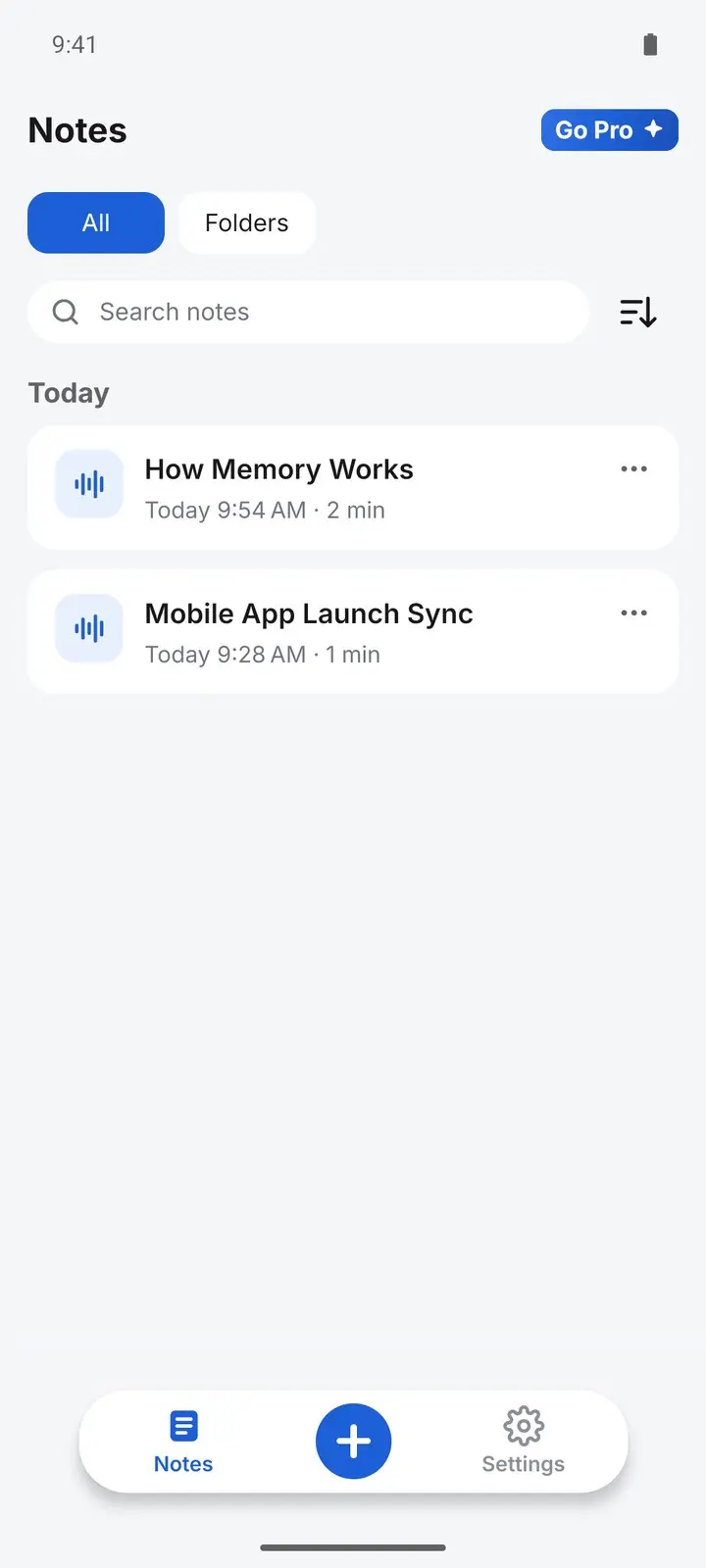
SummaryNote turns recordings and documents into personal notes, with flashcards and quizzes. Captioned YouTube links work in the Android app.
What is Tactiq?
According to Tactiq’s pricing page, Tactiq offers transcription and tools for reviewing meetings.
SummaryNote vs Tactiq: main differences
Capture and meetings
SummaryNote accepts audio on the web and Android, and video on Android. Its Pro notetaker joins Google Meet or Microsoft Teams from the Android app. According to Tactiq’s pricing page, Tactiq offers Bot-free browser transcription for Google Meet and Microsoft Teams.
Notes and questions
SummaryNote produces study material from notes. According to Tactiq’s home page, Tactiq offers Questions and insights across transcripts.
Platforms
SummaryNote is available on the web and Android. Tactiq lists Chrome extension and Edge add-on, according to its home page.
SummaryNote vs Tactiq pricing
As of November 24, 2026, according to Tactiq’s pricing page, Free $0; Pro $8 per user per month, Team $16.67 and Business $29.17 with annual billing; Enterprise has custom pricing. SummaryNote Pro is a weekly or annual subscription through Google Play; the price shown in Google Play depends on your country.
Who should pick which?
| Choose SummaryNote | Choose Tactiq |
|---|---|
| Study personal notes with flashcards and quizzes | Prefer Tactiq’s meeting workflow |
| Use Android or the web for recordings and documents | Need Chrome extension and Edge add-on |
Our approach
We compared the two products on November 24, 2026, using Tactiq’s pricing page and Tactiq’s product page for its published features and plans, and SummaryNote’s product facts for its own offering. This article is written by the SummaryNote team. We have a stake in the comparison, so the most useful way to read it is alongside those sources and a trial with material you already use. Prices and product details can change; check the current plan terms before deciding.
We looked at how each tool gets material into a transcript or note, what you can do with the result, which device is involved and what the published plans say. These are different workflows, so a feature list alone cannot tell you which will fit. A browser meeting transcript can be valuable for someone who spends the day in supported online meetings. A personal note that can become study material may be more useful when the source is a lecture recording or a document.
How the workflows compare in practice
A student reviewing a long lecture
Imagine a student who has permission to record a lecture and wants to revise it before an exam. The first decision is practical: is there a recording to upload, or is the material in a supported browser meeting? With SummaryNote, the student can bring audio into the web or Android app and use the resulting note as a starting point for review. Video upload is available on Android. Check the applicable duration and file limits before choosing a plan; a longer recording may need Pro.
The useful work begins after the note is ready. The student can compare it with their course materials, correct unfamiliar terms and use flashcards or a quiz to practise recall. Those study tools help turn a passive reread into a way to find gaps in understanding. They do not replace the lecturer’s material: definitions, equations and context should still be checked against the original recording and course documents.
Tactiq supports audio and video uploads, according to Tactiq’s pricing page, and offers questions and insights across transcripts. A student could use those capabilities to revisit a recording and ask about points that were hard to follow. Its published material in our source set does not establish a flashcard or quiz feature, so assess the transcript and question workflow on its own merits. If structured revision is the deciding requirement, try SummaryNote’s study tools with a real passage and see whether the prompts are useful for your course.
A consultant following up after a client meeting
Consider a consultant who needs to remember decisions, open questions and promised next steps after a client meeting. First agree with participants on recording or transcription. Then decide whether the meeting happens in a supported browser environment or whether the consultant already has a recording to upload. A good note is one that makes it easy to verify who agreed to what, not merely one that sounds polished.
Tactiq describes bot-free browser transcription for Google Meet and Microsoft Teams as well as another supported meeting platform. Its extension or add-on is central to that workflow. The consultant can review the transcript and ask questions about it; the vendor also describes insights across transcripts. This may suit someone whose main task is revisiting discussions from the browser. Check the published plan details and test the extension in the meeting environment before relying on it.
SummaryNote’s Pro meeting notetaker is available from Android for Google Meet and Microsoft Teams. Its meeting workflow therefore involves an Android device and a notetaker joining the meeting, while Tactiq’s described browser workflow does not use a bot. Alternatively, an existing audio recording can be uploaded on the web or Android. Afterward, review names, dates, decisions and responsibilities against the source before sharing a recap. Neither a transcript nor a generated note should be treated as an independently verified agreement.
A creator working from a YouTube episode
A creator might want to research an episode, identify its main arguments and prepare follow-up questions. SummaryNote supports captioned YouTube links in the Android app. Tactiq lists a separate free YouTube transcript tool for captioned English material. These are distinct entry points: compare the output and the device you intend to use, rather than assuming the browser meeting extension and a YouTube tool have the same workflow.
Start with a captioned episode you have the right to use. Read the transcript or note alongside the source and check the context around any passage you plan to cite. Captions can mishear names or omit nuance, and a concise summary can leave out qualifications that matter. For research, write down the timestamp or passage you need to revisit, separate the speaker’s claim from your own interpretation and return to the original before publishing.
If the creator has an audio file instead of a link, SummaryNote accepts audio on web and Android. Tactiq lists audio and video uploads, subject to its published file limit. Try the same permitted source in each relevant workflow and judge how much correction is needed. A convenient input method is valuable, but accuracy, context and the effort needed to make a usable outline matter just as much.
Capture, devices and the handoff to review
SummaryNote spans the web and Android, with some inputs and meeting features specifically on Android. That distinction matters if you want to move between a computer and a phone: check where the action you need is available before building a routine around it. There is no SummaryNote iPhone app. A web audio upload, an Android video upload and a Pro meeting notetaker are different ways to start, so pick the one that matches the material you have.
Tactiq lists a Chrome extension and Edge add-on, with browser transcription for supported meetings. It also lists file uploads. If you spend most of your time in that browser workflow, an extension may be a straightforward place to capture a discussion. If you often start with personal recordings or want Android study features, compare the steps needed to get from the source to something you can actually review later.
Questions, notes and studying
Both a transcript and a note are starting points for questions, but they serve different habits. A transcript helps you locate the wording and context of a discussion. A note can give you a shorter structure to review. SummaryNote also offers flashcards and quizzes for studying; Tactiq describes custom questions and insights across transcripts. The relevant test is whether you can answer your own questions from the source, not whether a generated response appears confident.
For either workflow, ask a specific question, find the supporting passage and check whether the answer preserves uncertainty. If the source does not contain an answer, do not fill the gap with a plausible guess. Keep the original material available for important decisions, and correct names or technical vocabulary when they matter. This small review step makes the output more useful whether you are preparing for an exam or sending a meeting recap.
Language and export considerations
SummaryNote lists 12 summary languages for uploads and YouTube. Tactiq lists more than sixty languages. Those figures describe different published claims, so they should not be treated as a direct accuracy ranking. Test the language, accent and specialist vocabulary you actually use. A sample with multiple speakers or background noise can reveal issues that a clean demonstration does not.
Tactiq lists PDF and TXT exports. Before choosing a format, consider what you need to do next: a readable document may help with review, while plain text is easier to reuse in another writing workflow. Verify the current plan’s export terms on the vendor’s pricing page. For any exported note, remove material that the intended audience should not receive and check that the context still makes sense outside the original conversation.
Plans and the fine print
Tactiq lists a free plan with ten transcripts and five AI credits per month. Its published annual-billing prices are $8 per user per month for Pro, $16.67 for Team and $29.17 for Business; Enterprise pricing is custom. These are annual-billing figures, not a statement of monthly-billing prices. Allowance, feature access and the number of people who need a seat can change the practical cost, so read the current pricing page before purchasing.
SummaryNote’s first complete note is free. Pro is a weekly or annual subscription through Google Play; the price shown in Google Play depends on your country. Review the current in-app terms and the limits for your source type. In particular, do not assume that a short free trial of a recording establishes that a longer file will fit the same allowance. The Android Pro notetaker and live text are separate considerations from a standard web audio upload.
Compare the total workflow rather than the headline price alone. Count how many transcripts or notes you expect to need, whether a team needs individual access, and how much review or correction each output requires. If you are evaluating for a group, use material everyone is allowed to process and ask each person to check the output for their own role. A plan that fits a single short trial may not match a recurring workload.
A 20-minute trial that shows the difference
Use a representative source with permission from everyone involved. This is a suggested evaluation exercise, not a guarantee of processing time; allow additional time if the source or upload requires it.
- Choose a real task. Pick a permitted recording or supported meeting and write down the outcome you need: revision, a client recap or research for an episode.
- Check the entry point. Confirm the device, source type and plan limits. For a browser meeting, check Tactiq’s extension or add-on; for SummaryNote’s meeting notetaker, check the Android Pro workflow.
- Review a difficult passage. Find a name, technical term or decision in the original and compare it with the result. Note the corrections you would have to make before relying on it.
- Try the next action. Ask a specific question in the relevant workflow. If studying is your goal, also try SummaryNote’s flashcards or quiz and see whether they test the ideas you need to learn.
- Make a usable output. Prepare a short recap or study plan. Check missing context, ownership of next steps and any information that should remain private.
- Compare the effort and terms. Record which device you used, the steps you repeated and the plan allowance needed for your usual volume. Recheck vendor pricing before a purchase.
Which should you choose?
Choose around the work you repeat. SummaryNote is worth trying if your sources include personal recordings or documents and you want notes that lead into flashcards and quizzes. Its web and Android entry points are useful to compare, with Android-specific features checked on the device itself. For supported online meetings, remember that its Pro notetaker joins from the Android workflow.
Tactiq is worth trying if browser-based meeting transcription and questions across transcripts are central to your routine. Check the extension, supported meeting environment and plan allowances against a real meeting. Its upload option may also be relevant when the recording already exists. The right choice is the one that produces a reviewable result with acceptable effort and fits the devices and sources you actually use.