SummaryNote vs Read AI (2026): Which AI Note Taker Fits You?
· By the SummaryNote team · 12 min read · This is a SummaryNote article.
Key facts
SummaryNote focuses on personal notes and study from recordings and documents. Read AI offers meeting transcription and a way to search across meetings, email and messages. Both can help you revisit a discussion, but the right choice depends on what you need to capture and what you want to do afterwards.
Our approach
We compared the published product and pricing information available on November 24, 2026, using Read AI’s home page, Read AI’s pricing page and its desktop page, alongside SummaryNote’s product facts. This article is written by the SummaryNote team, so we have a stake in the comparison. We describe the use cases each product supports and identify where the published information does not establish an answer.
We did not score transcript accuracy or independently test every combination of device, language and source. A useful evaluation needs your own material: audio quality, specialist vocabulary, speakers and accents can change how much correction a transcript needs. Check current terms and the experience on your devices before buying.
SummaryNote vs Read AI at a glance
| Feature | SummaryNote | Read AI |
|---|---|---|
| Platforms | Web and Android; no iPhone app | Web, Windows, macOS, Android, iOS and Chrome extension |
| Uploads | Audio on web and Android; video on Android | Pro includes 100 upload minutes per month |
| Meetings | Google Meet and Microsoft Teams notetaker on Android with Pro | Meeting bot; desktop recording can work without a bot |
| Review | Notes, flashcards and quizzes | Ask Read searches across meetings, email and messages |
| Languages | 12 summary languages for uploads and YouTube | 20+ transcription languages according to its home page |
Read AI details are from its linked pages. The language figures describe different things: SummaryNote’s figure is for summary languages, while Read AI describes transcription languages. They are not a direct measure of accuracy.
What is SummaryNote?
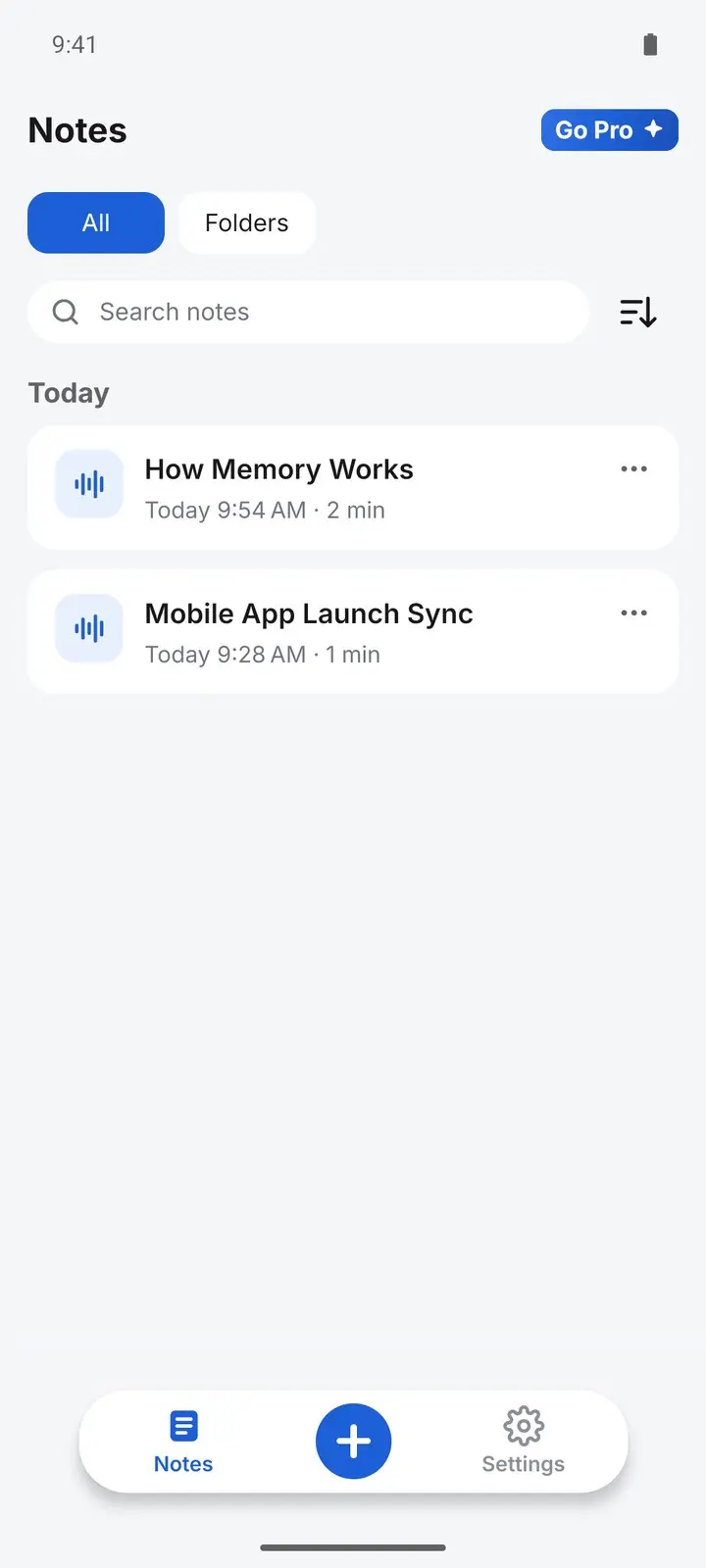
SummaryNote turns supported recordings and documents into personal notes. You can review a transcript, ask questions about a note and use flashcards or quizzes to revisit the material. Audio uploads work on the web and Android; video uploads and captioned YouTube links work in the Android app. Its meeting notetaker is a Pro feature on Android for Google Meet and Microsoft Teams.
This combination is relevant when a meeting is only one part of your week. A lecture, a document and a recording may each need a different kind of follow-up, from checking a passage to practicing a concept. Choose the source and device that match the task, then review the generated material against the original.
What is Read AI?
Read AI offers meeting transcription and Ask Read, which searches across meetings, email and messages, according to its home page. Its meeting bot supports Google Meet and Microsoft Teams, and its desktop product can record without a bot. Read AI lists web, Windows, macOS, Android and iOS apps and a Chrome extension.
That range makes it worth considering when meetings are central to your work and you want to investigate information across the sources Read AI describes. Check its current plan and product pages for the precise availability of a workflow you depend on, especially before expecting an upload or another source to be included.
SummaryNote vs Read AI: main differences
Capturing a lecture
Imagine a student reviewing a ninety-minute lecture. With permission to record, the student can upload the audio to SummaryNote on the web or Android, then use the note and transcript to find the explanation of a difficult concept. The free per-file allowance is 180 minutes; the Pro allowance is 300 minutes. The file must also meet the size and minimum-length limits.
Read AI’s Free plan includes meetings up to one hour and does not include uploads, according to its pricing page. Pro includes 100 upload minutes per month. The student should therefore check the plan and upload allowance against the length and number of recordings they expect to process. These limits do not tell you which transcript will be more accurate; listen to important passages in the original before relying on either output.
For revision, SummaryNote offers flashcards and quizzes from notes. A practical test is to identify a concept from the lecture, answer a question without looking, then check the answer against the transcript. Read AI’s published information in our sources does not establish a comparable flashcard or quiz feature, so verify its current offering if that is essential to your choice.
Following up on a client meeting
A consultant needs to capture a client discussion, identify decisions and prepare a follow-up. With SummaryNote Pro on Android, the consultant can send the notetaker to a supported Google Meet or Microsoft Teams meeting. After the meeting, they can review the note and transcript, check a proposed action against the discussion and write a follow-up in their own words.
Read AI offers a meeting bot for both platforms and desktop recording without a bot. The consultant should consider which capture method suits the meeting and the participants, then check the relevant plan’s limits. A bot is visible in a meeting; a desktop recording workflow is a different choice to evaluate with participants. Obtain appropriate permission before recording, regardless of the tool.
Neither a summary nor an automatically identified action should become a commitment without review. Listen to the context around a deadline, confirm the owner and distinguish a suggestion from a decision. If a detail matters to a client, ask for confirmation rather than treating generated text as the final record.
Reviewing a YouTube episode
A creator researching a topic may want to revisit a public, captioned YouTube episode. In SummaryNote’s Android app, they can use a supported YouTube link to make a note, read the summary and return to the transcript while developing their own outline. The per-file duration limits still matter, and the source needs captions.
Our Read AI sources do not state YouTube link support. That is different from proving it cannot handle a particular source: check Read AI’s current documentation before making a decision based on that workflow. If a YouTube link is your starting point, compare the steps required to bring the material in, not just the appearance of a finished note.
For either product, a generated recap is a starting point. Revisit the episode for context, verify quotations and facts independently, and keep track of which ideas belong to the original speaker. This is especially useful when turning research into a script that another audience will rely on.
Asking questions and finding context
SummaryNote lets you ask questions inside a note. This suits a focused question such as “What did the lecturer say about retrieval?” or “What was agreed about the next review?” Frame a specific question, inspect the answer and return to the source before using a detail in study or work.
Read AI describes Ask Read as searching across meetings, email and messages. That wider scope may matter if the answer is scattered across several conversations and written exchanges. Consider which sources you actually need to search and what access is appropriate for your work. The value of a broad search still depends on whether the relevant material is available and whether you verify the answer in context.
Try both a simple factual question and a nuanced question about a decision. Look for omitted qualifications as well as incorrect details. A concise answer that misses a condition can be less useful than a longer answer that directs you back to the relevant discussion.
Devices and the moment of capture
SummaryNote is available on the web and Android; it has no iPhone app. Audio uploads work in both places, while video, captioned YouTube links and the Pro meeting notetaker are Android workflows. If you move between a browser and Android, decide where your source starts and where you will review the result.
Read AI lists web, Windows, macOS, Android and iOS apps plus a Chrome extension. Its desktop recording option may be relevant to someone whose work takes place primarily on a computer. Platform availability alone does not establish that every feature works identically on every device, so check the specific workflow you need before committing.
Languages and exports
SummaryNote supports 12 summary languages for uploads and YouTube. Read AI’s home page says it supports more than twenty transcription languages. Because transcription and summary language support are different claims, use a representative recording in your language to judge the outcome rather than treating those counts as a ranking.
SummaryNote lists PDF, DOCX, Markdown, TXT, SRT, VTT among its export formats. The Read AI sources used here do not state export formats. If you need to hand a transcript to an editor, archive a note or work in a particular format, verify the current options and test the exported file with your intended destination.
Plans and the fine print
SummaryNote’s first complete note is free. Pro is available as a weekly or annual subscription through Google Play; the price displayed in Google Play depends on your country. For media, Free allows up to 180 minutes per file and Pro up to 300 minutes, with a maximum file size of 500 MB and a minimum of 30 seconds. A PDF can have up to 300 pages and 20 MB. The notetaker and live text require Pro on Android.
As checked November 24, 2026, Read AI’s pricing page lists Free at $0, Pro at $19.75 monthly or $15 per month billed annually, Enterprise at $29.75 monthly or $22.50 per month billed annually, and Enterprise+ at $39.75 monthly or $29.75 per month billed annually. These are US dollar prices per user per month; Enterprise+ requires at least five licenses. Annual figures are monthly equivalents, not a promise of monthly billing at that rate.
Read AI Free includes five meeting transcripts per month for meetings up to one hour, with no uploads. Pro includes 100 upload minutes per month. Compare these allowances with your actual mix of meetings and files: a per-meeting duration limit, a monthly transcript count and a monthly upload allowance answer different questions. Check the vendor’s current terms and local price before purchasing.
Who should pick which?
| Consider SummaryNote if… | Consider Read AI if… |
|---|---|
| You want personal notes, flashcards and quizzes from supported material. | You want a meeting-centered workflow and Ask Read across meetings, email and messages. |
| You use the web or Android and want to review recordings or documents. | You need to evaluate its desktop, iOS or browser extension options. |
| Captioned YouTube links on Android are part of your research. | Desktop recording without a bot is important to evaluate. |
The choice is not only about a feature list. A student may value a way to practice the material after class, while a consultant may prioritize how a meeting is captured and searched. Someone doing both should test each source separately. The best plan on paper may be inconvenient if the capture device or review workflow does not fit the day.
A 20-minute trial that shows the difference
Use material you have permission to process and avoid sensitive content until you understand each service’s terms. The aim is to learn where your own workflow needs manual work, not to expect every feature to be available on a free plan.
- Choose a representative source. Pick a recording with the voices, vocabulary and background conditions you usually encounter. Confirm that its length and format fit the plan and device you are testing.
- Capture or upload it. Note the steps needed on your actual device. For a meeting, consider whether a visible notetaker or desktop recording suits the participants and obtain permission first.
- Check the transcript. Listen to a passage with names, numbers or technical terms. Mark corrections and check whether a change in speaker or context affects your understanding.
- Review the summary. Find a decision or central idea in the source and see whether the summary preserves its conditions. Separate a proposed action from one that was agreed.
- Ask a focused question. Compare each answer with the original material. If cross-source search matters, check which sources are actually available to the tool and whether the answer identifies useful context.
- Finish your real task. Make a study question, prepare a follow-up or try the export you need. Count the corrections and extra steps required before you would trust the result.
- Check the plan. Estimate how many recordings and minutes you expect to use, then compare the current limits and price in your region. Repeat the test with another source if your work varies.
Which should you choose?
Start with your source, device and follow-up task. SummaryNote is a strong fit to investigate for personal notes and study on the web and Android. Read AI is worth evaluating for its meeting workflow, desktop recording and search across the sources it describes. Test a real piece of work, check the details against the original and revisit the current plan pages before choosing.